BIOS Setup
MCU Power Control
The LattePanda Iota integrates an RP2040 MCU, which supports power control via BIOS settings and a DIP switch.
When the LattePanda Iota is running, sleeping, in shutdown, or in hibernation mode, the power supply to the RP2040 MCU is controlled by the BIOS settings.
Path: Advanced → Power Configuration → MCU Power Control
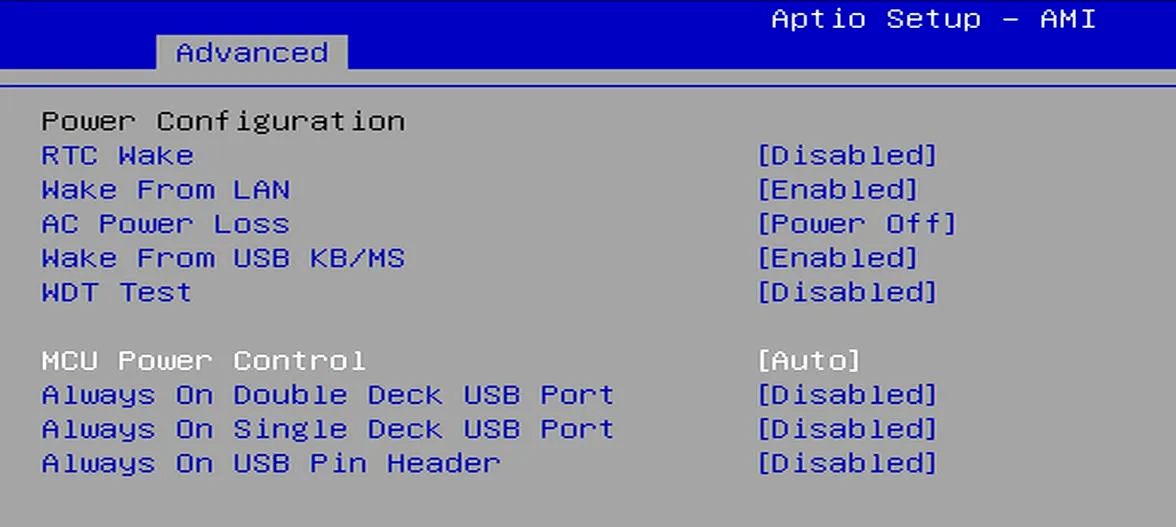
The default setting is Auto.
| MCU Power Control | Power Supply to the RP2040 MCU |
|---|---|
| Enabled | Running Mode: Sleep Mode: Hibernate Mode: Shut Down Mode: |
| Auto | Running Mode: Sleep Mode: Hibernate Mode:  Shut Down Mode: |
| Disabled | Running Mode: Sleep Mode: Hibernate Mode: Shut Down Mode: |
| means Enabled, the RP2040 MCU is powered on and run. means Disabled , the RP2040 MCU is powered off. |
When the LattePanda Iota is connected to power but not turned on, the RP2040 MCU's power supply is controlled by the DIP switch.
-
The actuator controlling the MCU's power is in the lower half of the DIP switch, as highlighted by the red frame in the figure. The "MCU" label in the lower-right corner of the DIP switch indicates the MCU's power control.

-
Set the actuator:
Actuator Position Power Supply of the RP2040 MCU OFF (Left Side) Enabled ON (Right Side) DisabledThis setting take effect immediately, and is unaffected by the RTC battery.