Network Connections
WIFI
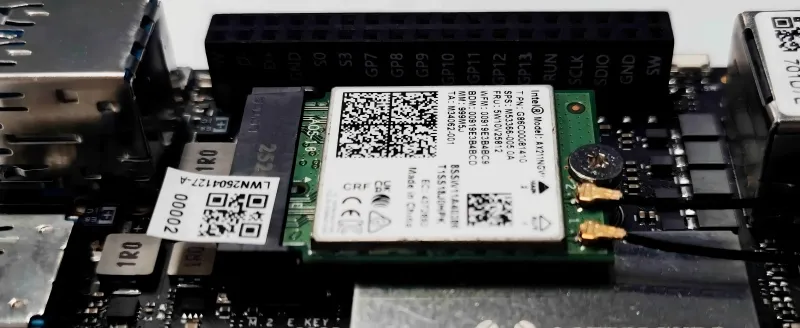
The LattePanda Iota board features an M.2 E key slot, designed for installing compatible M.2 Wi-Fi/Bluetooth modules.
Installation Steps
-
Connect the antennas to the M.2 2230 Wi-Fi/Bluetooth module. (Typically, two dual-band antennas with IPEX4 connectors.)
-
Insert a compatible M.2 2230 Wi-Fi/Bluetooth module into the M.2 E-key slot.
-
Secure the module using the provided mounting screw.
Compatible Modules
The M.2 E key supports M.2 Type 2230 PCIe and CNVio wireless network card. The following are some compatible devices that we have tested:
- Intel BE200
- Intel AX210
- Intel AX211
- Intel AX200
- Intel AX201
- Intel AC8265
Ethernet
The LattePanda Iota board comes equipped with a built-in 1GbE Ethernet port. Simply plug in an Ethernet cable to establish a wired internet connection.
It is also compatible with Wake-On-LAN (WOL) for remote device management.
Compatible Speed
Supports 10/100/1000 Mbps Ethernet speeds
LED Function
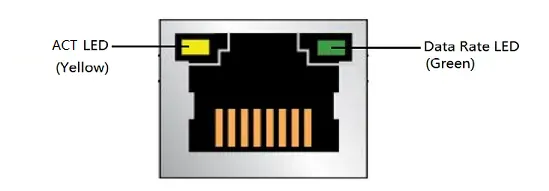
| LED | LED Color | LED State | Meaning |
|---|---|---|---|
| ACT LED | Yellow | Blinking | LAN activity is occurring |
| Data Rate LED | Green | OFF | 10 Mb/s data rate is selected, or no LAN Link |
| Green | 100/1000 Mb/s data rate is selected |
PoE & Dual Ethernet Ports
For applications requiring POE support, or dual network interfaces, you can add our optional 51W POE Expansion Board to enable PoE and dual-port Ethernet configuration. 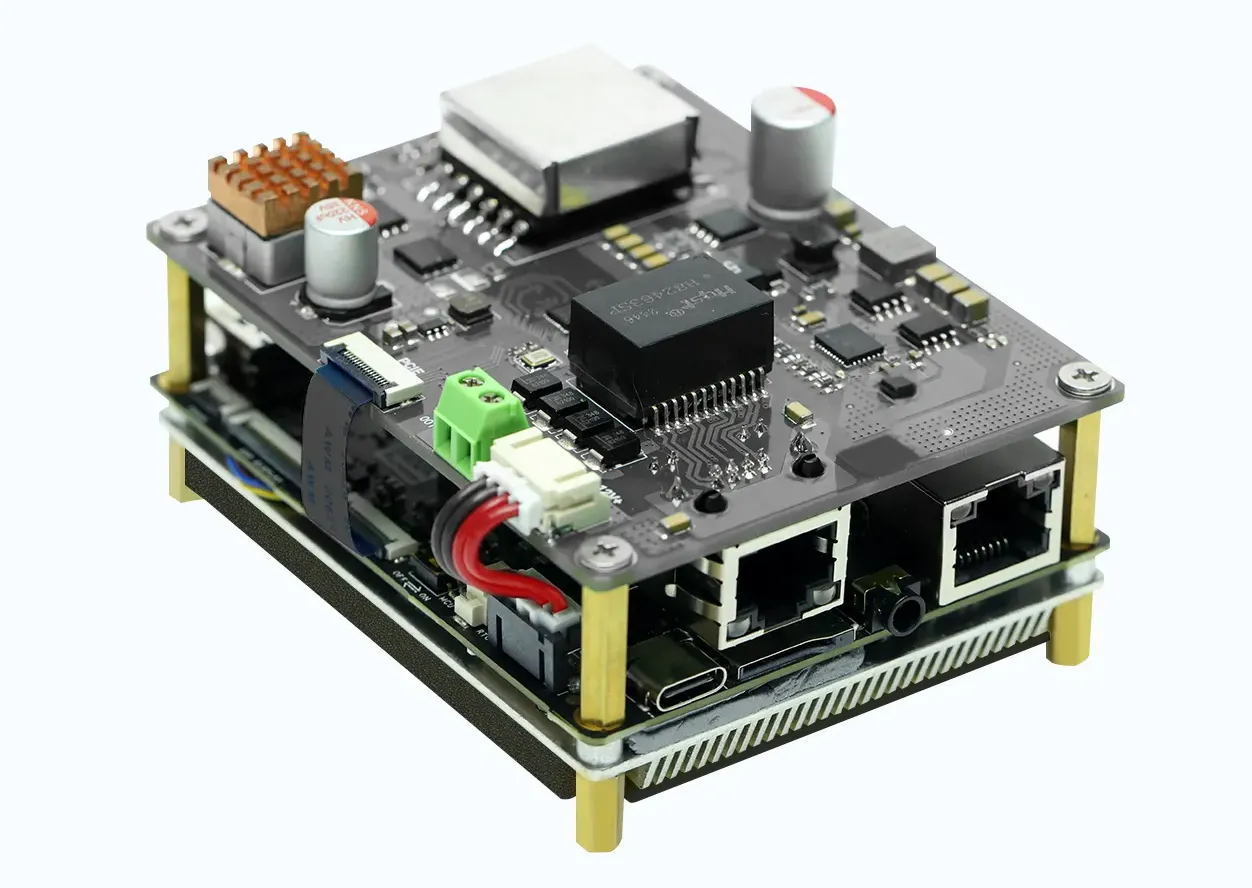
Cellular (4G)
The LattePanda Iota does not include a built-in M.2 B key slot. However, you can easily expand cellular connectivity by using our dedicated 4G LTE Expansion Board, which adds an M.2 B key interface for installing 4G modules.
Installation Steps
- Mount the 4G LTE Expansion Board onto your Iota board.
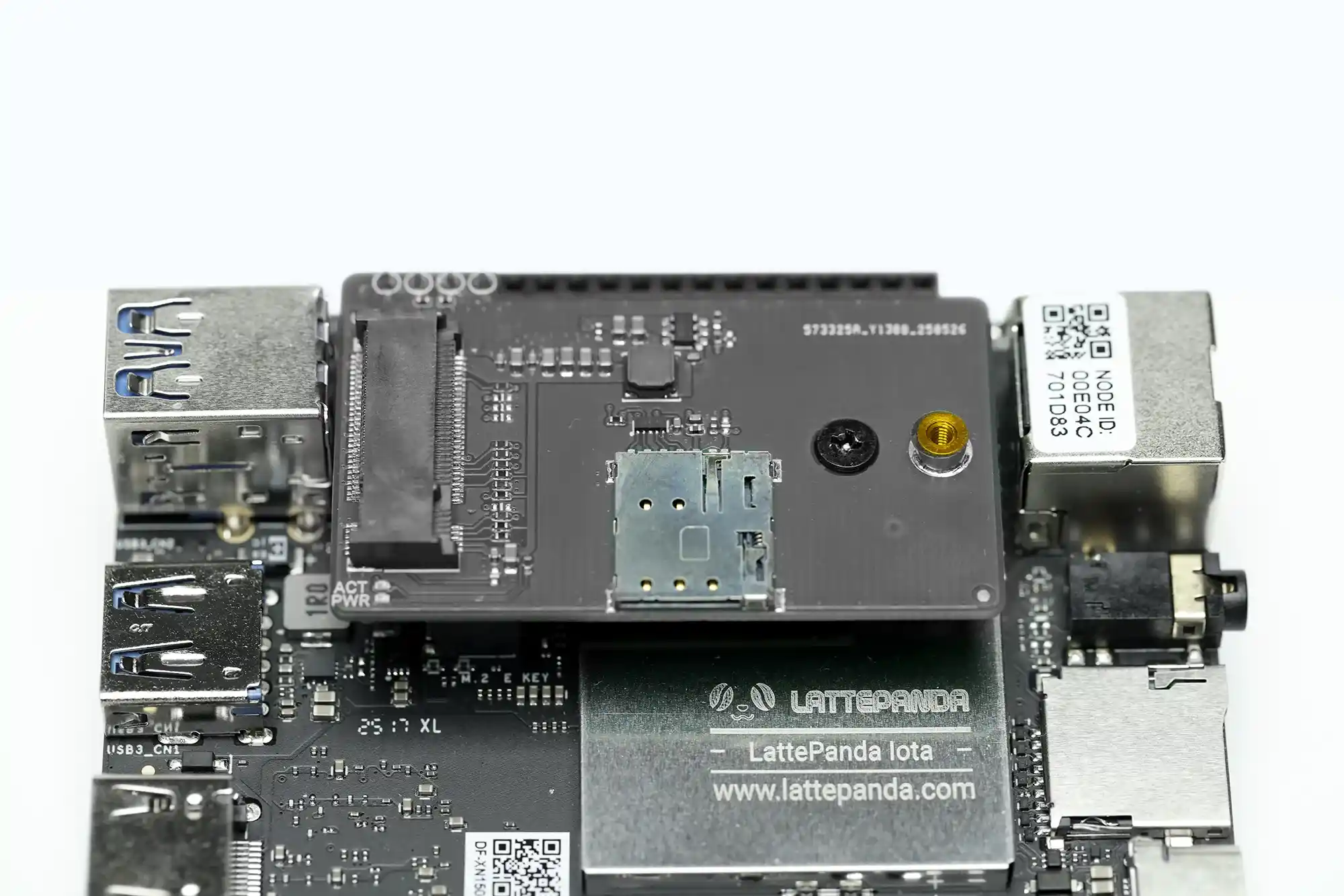
- Install a compatible 4G module (e.g., SIM7600G-H-M2) onto the expansion board’s M.2 B key slot.
- Attach the required cellular and GNSS antennas to the module.
-
Insert a micro-SIM card into the module’s SIM slot.
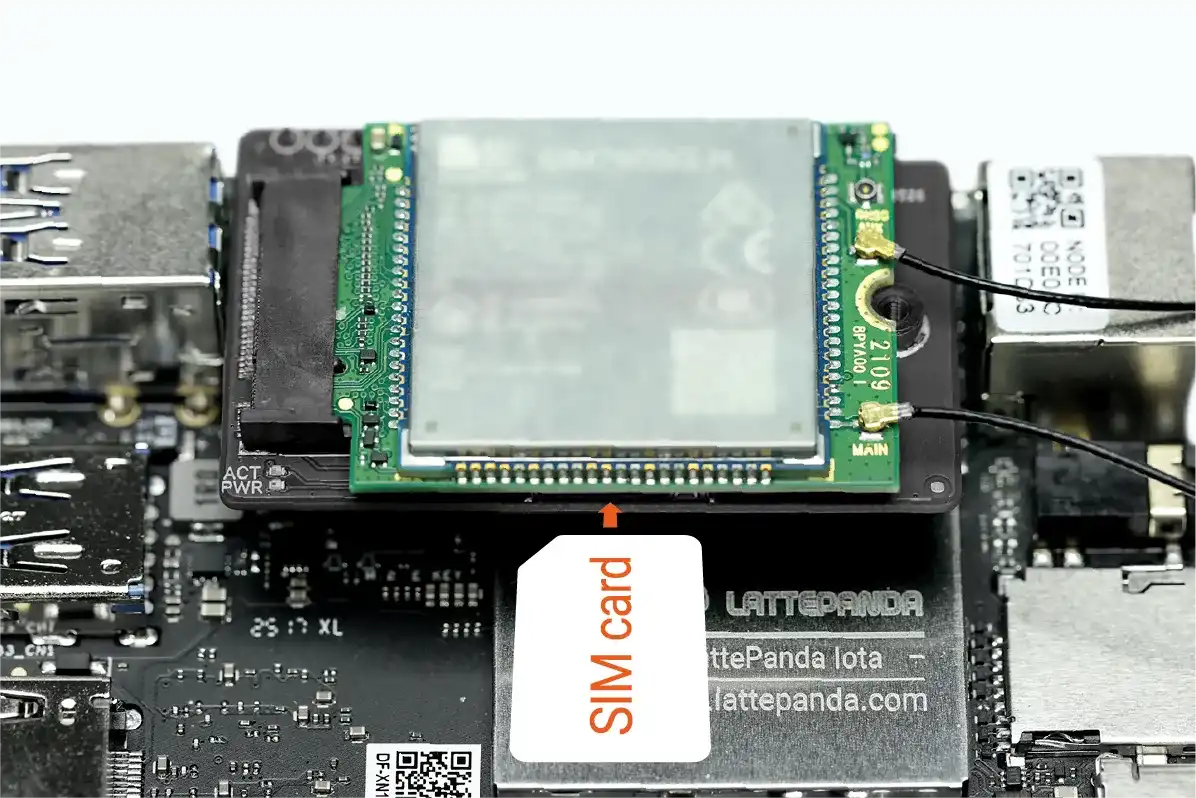
-
After booting into the operating system, install the appropriate drivers for your 4G module. Ensure no unknown devices appear in Device Manager.
Note
For detailed step-by-step assembly and configuration instructions, please refer to the 4G LTE Expansion Board User Guide.
Compatible Modules
We have conducted thorough testing on the following modules, all of which have demonstrated excellent functionality within the Windows 10/11 operating system: